Live Ops map
Every guard on shift, live, with how far they are from their site. Patrols show their whole route.
A live map of everyone on shift, a call before every shift starts, and a panic button on every screen of the guard app.
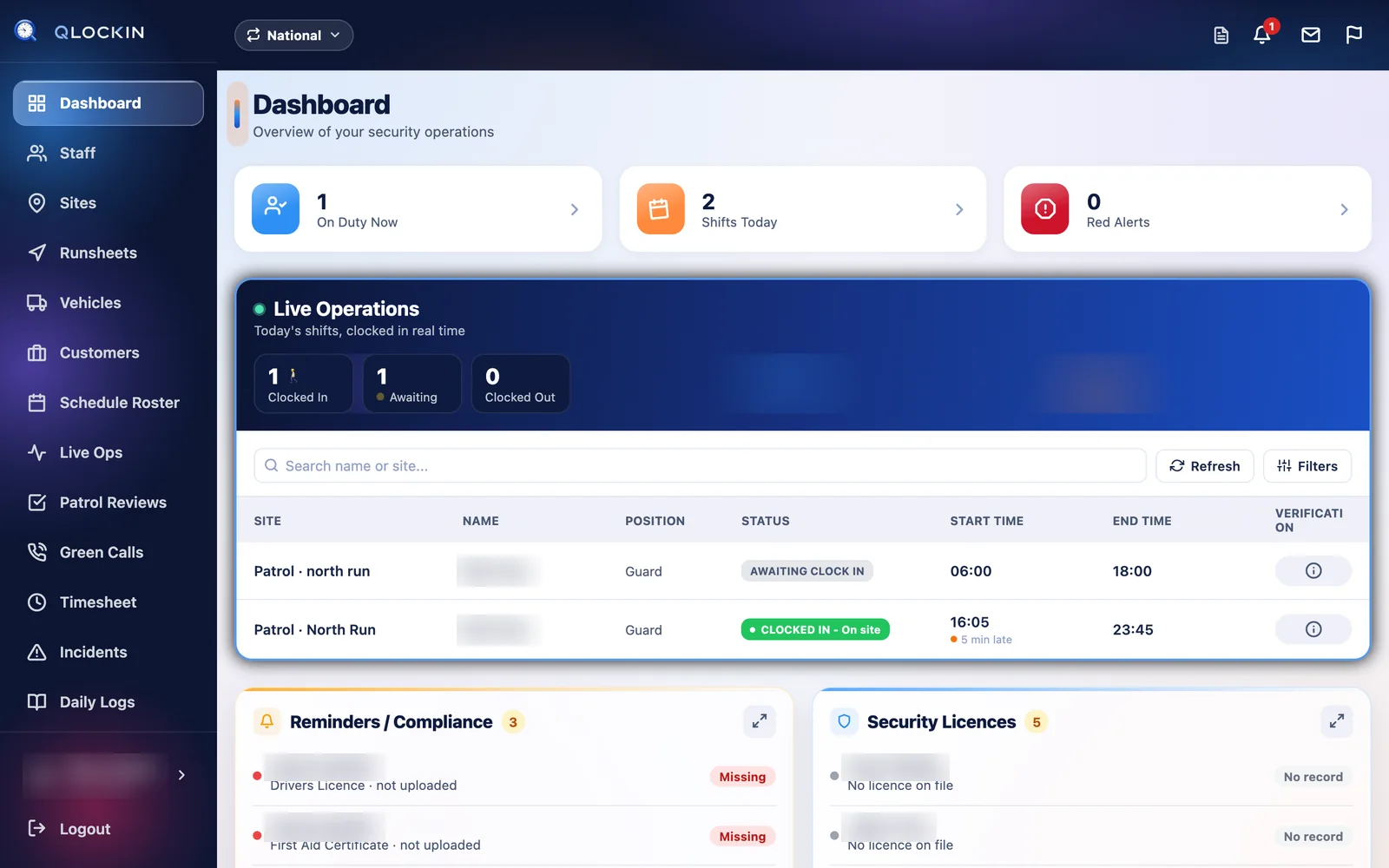
Who is on duty now, how many shifts are on today and any red alerts, above a live list of every shift and who has actually turned up.
Every guard on shift, live, with how far they are from their site. Patrols show their whole route.
Supervisors are reminded an hour before each shift to check the guard is on their way.
Held for 2 seconds, it sends the guard's location to every supervisor and manager, and shows a red alert on Live Ops.
An hourly check on patrol. No answer tells the supervisor after 5 minutes and the manager after 10.
Guards report incidents with photos. High severity becomes a red alert and reaches the right people at once.
On the phone and in the browser: new shifts, reminders, approvals and alerts.
Every hour on patrol the guard gets a check. If nobody answers, the right people hear about it.
“Are you OK?” pops up on the guard’s phone.
No answer yet, so the supervisor gets an alert.
Still nothing, so it goes up to the manager.